Office Objects

Description
Office objects are considered “actors” in Quanser Interactive Labs Open Worlds. The office objects library controls the office objects available to be placed in the QLabs environment. Office objects can be spawned anywhere in the Open Worlds.
See the Office Objects Tutorial to get a better understanding of placing office objects in Quanser Interactive Labs.
Table of Contents
Important
All of the office objects have the same methods and member variables. To simplify this documentation, the methods and member variables are documented only once, see Shared Variables and Methods and the Office Objects Tutorial. No office object has connection points or different configurations.
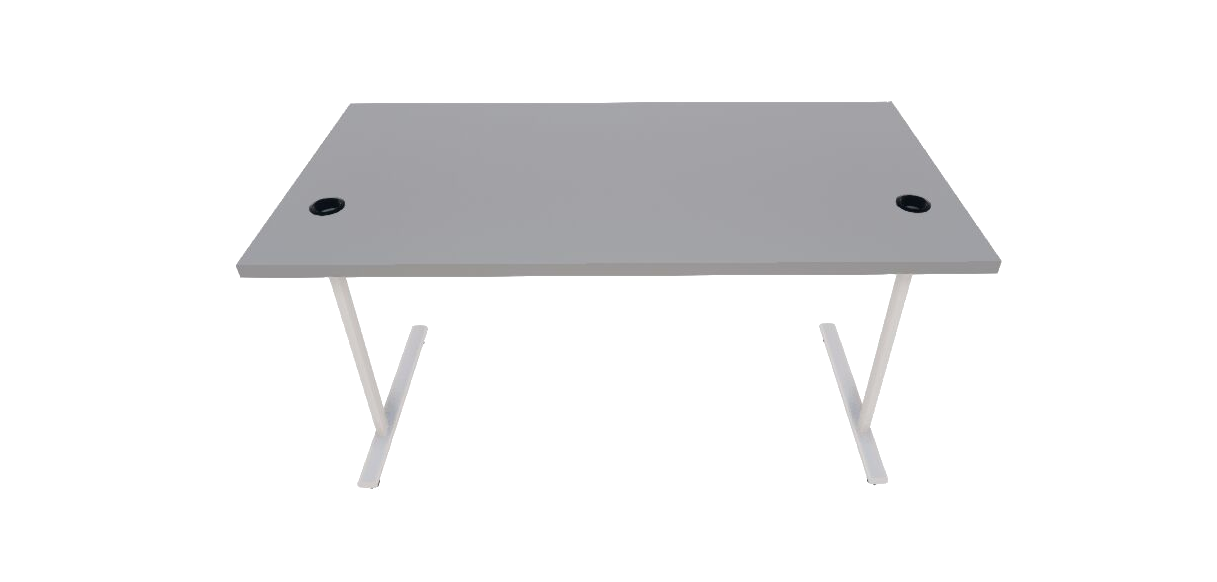
Desk
Library
Constants
- QLabsDesk.ID_DESK = 10100
Class ID
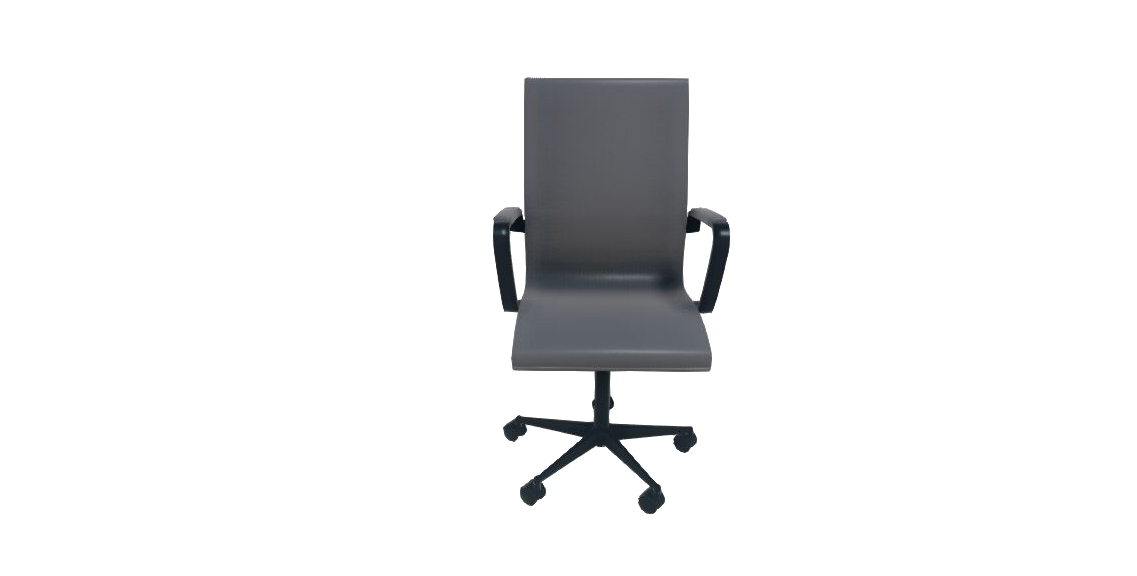
Chair
Library
Constants
- QLabsChair.ID_CHAIR = 10140
Class ID
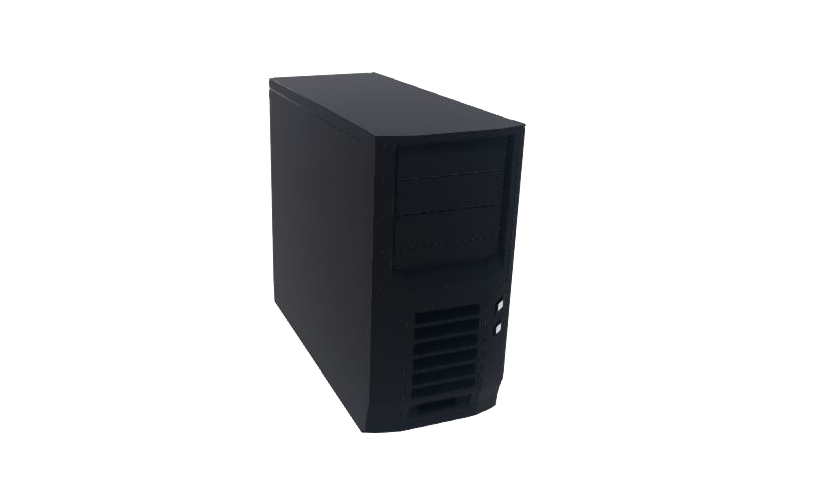
Computer
Library
Constants
- QLabsComputer.ID_COMPUTER = 10150
Class ID
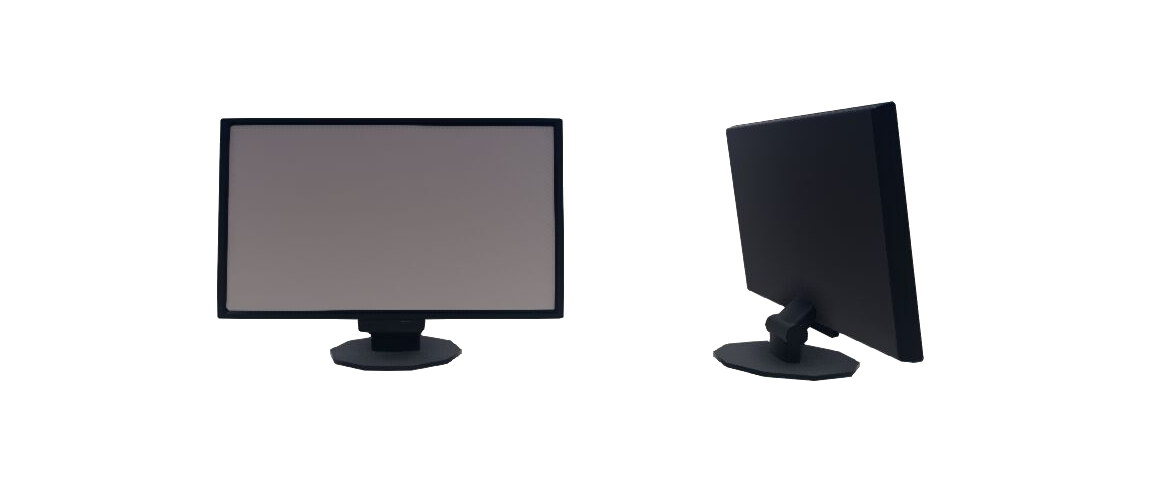
Computer Monitor
Library
Constants
- QLabsComputerMonitor.ID_COMPUTER_MONITOR = 10130
Class ID
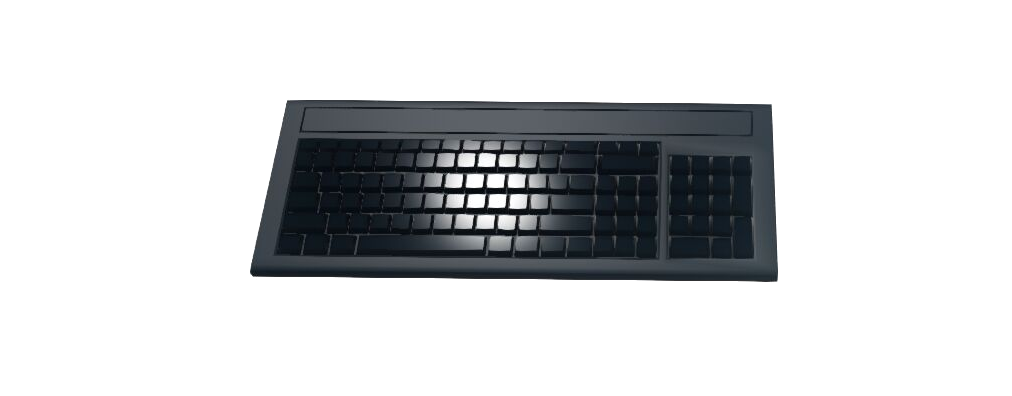
Computer Keyboard
Library
Constants
- QLabsComputerKeyboard.ID_COMPUTER_KEYBOARD = 10110
Class ID
Computer Mouse
Library
Constants
- QLabsComputerMouse.ID_COMPUTER_MOUSE = 10120
Class ID

Office Objects Tutorial
Python Tutorial
Raw to download this tutorial: Office Objects Tutorial (.py).
  1"""
  2Office Objects Library Example
  3----------------------------
  4
  5.. note::
  6
  7    Make sure you have Quanser Interactive Labs open before running this
  8    example.  This example is designed to best be run in the Warehouse, Plane or
  9    Studio environment.
 10
 11"""
 12
 13# imports to important libraries
 14import time
 15
 16
 17from qvl.qlabs import QuanserInteractiveLabs
 18from qvl.free_camera import QLabsFreeCamera
 19from qvl.system import QLabsSystem
 20from qvl.desk import QLabsDesk
 21from qvl.chair import QLabsChair
 22from qvl.computer import QLabsComputer
 23from qvl.computer_monitor import QLabsComputerMonitor
 24from qvl.computer_keyboard import QLabsComputerKeyboard
 25
 26from qvl.computer_mouse import QLabsComputerMouse
 27
 28
 29
 30def main():
 31
 32    print("\n\n------------------------------ Communications --------------------------------\n")
 33
 34    # Creates a server connection with Quanser Interactive Labs and manages
 35    # the communications
 36    qlabs = QuanserInteractiveLabs()
 37
 38    # Ensure that QLabs is running on your local machine
 39    print("Connecting to QLabs...")
 40    if (not qlabs.open("localhost")):
 41        print("Unable to connect to QLabs")
 42        return
 43
 44    print("Connected")
 45
 46    # Use hSystem to set the tutorial title on the qlabs display screen
 47    hSystem = QLabsSystem(qlabs)
 48    hSystem.set_title_string('Office Objects Tutorial')
 49
 50    num_destroyed = qlabs.destroy_all_spawned_actors()
 51
 52    # initialize a camera - See Camera Actor Library Reference for more information
 53    camera = QLabsFreeCamera(qlabs)
 54    camera.spawn([-0.936, -2.518, 1.973], [0, 0.541, 1.158])
 55    camera.possess()
 56
 57    desk = QLabsDesk(qlabs)
 58    desk.spawn([-0.5, -0.5, 0.00], [0, 0, 0], [1, 1, 1], 0, 1)
 59    time.sleep(0.2)
 60
 61    chair = QLabsChair(qlabs)
 62    chair.spawn([-0.6, -1, 0.00], [0, 0, 0], [1, 1, 1], 0, 1)
 63    time.sleep(0.2)
 64
 65    computer = QLabsComputer(qlabs)
 66    computer.spawn([-0.0, -0.45, 0.752], [0, 0, 0], [1, 1, 1], 0, 1)
 67    time.sleep(0.2)
 68
 69    monitor = QLabsComputerMonitor(qlabs)
 70    monitor.spawn([-0.6, -0.32, 0.752], [0, 0, 0], [1, 1, 1], 0, 1)
 71    time.sleep(0.2)
 72
 73    keyboard = QLabsComputerKeyboard(qlabs)
 74    keyboard.spawn([-0.606, -0.603, 0.752], [0, 0, 0], [1, 1, 1], 0, 1)
 75
 76    mouse = QLabsComputerMouse(qlabs)
 77    mouse.spawn([-0.25, -0.607, 0.752], [0, 0, 0], [1, 1, 1], 0, 1)
 78
 79    time.sleep(0.2)
 80
 81    # the second desk will be spawned with all objects relative to it,
 82    # so if the desk location or rotation moves, everything moves with it
 83    desk2 = QLabsDesk(qlabs)
 84    desk2.spawn_id(1,[1, -0.5, 0.00], [0, 0, 0], [1, 1, 1], 0, 1)
 85    time.sleep(0.2)
 86
 87    chair2 = QLabsChair(qlabs)
 88    chair2.spawn_id_and_parent_with_relative_transform(1,
 89                                                       [0, -.5, 0.00],
 90                                                       [0, 0, 0],
 91                                                       [1, 1, 1],
 92                                                       0,
 93                                                       desk2.classID,
 94                                                       desk2.actorNumber,
 95                                                       0,
 96                                                       1)
 97    time.sleep(0.2)
 98
 99    computer2 = QLabsComputer(qlabs)
100    computer2.spawn_id_and_parent_with_relative_transform(1,
101                                                       [0.52, 0.05, 0.752],
102                                                       [0, 0, 0],
103                                                       [1, 1, 1],
104                                                       0,
105                                                       desk2.classID,
106                                                       desk2.actorNumber,
107                                                       0,
108                                                       1)
109    time.sleep(0.2)
110
111    monitor2 = QLabsComputerMonitor(qlabs)
112    monitor2.spawn_id_and_parent_with_relative_transform(1,
113                                                       [-0.05, 0.15, 0.752],
114                                                       [0, 0, 0],
115                                                       [1, 1, 1],
116                                                       0,
117                                                       desk2.classID,
118                                                       desk2.actorNumber,
119                                                       0,
120                                                       1)
121    time.sleep(0.2)
122
123    keyboard2 = QLabsComputerKeyboard(qlabs)
124    keyboard2.spawn_id_and_parent_with_relative_transform(1,
125                                                       [-0.13, -0.165, 0.752],
126                                                       [0, 0, 0],
127                                                       [1, 1, 1],
128                                                       0,
129                                                       desk2.classID,
130                                                       desk2.actorNumber,
131                                                       0,
132                                                       1)
133
134    mouse2 = QLabsComputerMouse(qlabs)
135    mouse2.spawn_id_and_parent_with_relative_transform(1,
136                                                       [.275, -0.165, 0.752],
137                                                       [0, 0, 0],
138                                                       [1, 1, 1],
139                                                       0,
140                                                       desk2.classID,
141                                                       desk2.actorNumber,
142                                                       0,
143                                                       1)
144    time.sleep(0.2)
145
146
147
148    # Closing qlabs
149    qlabs.close()
150    print('Done!')
151
152if __name__ == "__main__":
153    main()
Python Tutorial Multiple Desks
Raw to download this tutorial: Office Objects Tutorial (.py).
This tutorial uses a function to simplify creating multiple desks set up the same way.
  1"""
  2Office Objects2 Library Example
  3---------------------------------
  4
  5.. note::
  6
  7    This example spawns desks with a chair, computer, monitor, mouse and keyboard,
  8    using a function to simplify creating multiple desks set up the same way.
  9
 10    Make sure you have Quanser Interactive Labs open before running this
 11    example.  This example is designed to best be run in the Warehouse, Plane or
 12    Studio environment.
 13
 14"""
 15
 16# imports to important libraries
 17import time
 18import math
 19
 20from qvl.qlabs import QuanserInteractiveLabs
 21from qvl.free_camera import QLabsFreeCamera
 22from qvl.system import QLabsSystem
 23from qvl.desk import QLabsDesk
 24from qvl.chair import QLabsChair
 25from qvl.computer import QLabsComputer
 26from qvl.computer_monitor import QLabsComputerMonitor
 27from qvl.computer_keyboard import QLabsComputerKeyboard
 28
 29from qvl.computer_mouse import QLabsComputerMouse
 30
 31
 32
 33def main():
 34
 35    print("\n\n------------------------------ Communications --------------------------------\n")
 36
 37    # Creates a server connection with Quanser Interactive Labs and manages
 38    # the communications
 39    qlabs = QuanserInteractiveLabs()
 40
 41    # Ensure that QLabs is running on your local machine
 42    print("Connecting to QLabs...")
 43    if (not qlabs.open("localhost")):
 44        print("Unable to connect to QLabs")
 45        return
 46
 47    print("Connected")
 48
 49    # Use hSystem to set the tutorial title on the qlabs display screen
 50    hSystem = QLabsSystem(qlabs)
 51    hSystem.set_title_string('Office Objects Tutorial')
 52
 53    num_destroyed = qlabs.destroy_all_spawned_actors()
 54
 55    # initialize a camera - See Camera Actor Library Reference for more information
 56    camera = QLabsFreeCamera(qlabs)
 57    camera.spawn([-0.936, -2.518, 1.973], [0, 0.541, 1.158])
 58    camera.possess()
 59
 60    # make sure the second argument: actorNumber, is different for each of the times the function is called
 61
 62    setupDesk(qlabs, 0, location = [1, -1.5, 0], rotation = [0, 0, math.pi/2])
 63    time.sleep(1)
 64
 65    setupDesk(qlabs, 1, location = [0, 1.5, 0], rotation = [0, 0, 0])
 66    time.sleep(1)
 67
 68    setupDesk(qlabs, 2, location = [-1, 0, 0], rotation = [0, 0, -math.pi/2])
 69    time.sleep(1)
 70
 71    setupDesk(qlabs, 3, location = [-1, -1.5, 0], rotation = [0, 0, 0])
 72    time.sleep(1)
 73
 74
 75
 76    # Closing qlabs
 77    qlabs.close()
 78    print('Done!')
 79
 80def setupDesk(qlabs, actorNumber, location = [0, 0, 0], rotation = [0, 0, 0]):
 81    desk = QLabsDesk(qlabs)
 82    desk.spawn_id(actorNumber,location, rotation, [1, 1, 1], 0, 1)
 83    time.sleep(0.2)
 84
 85    chair2 = QLabsChair(qlabs)
 86    chair2.spawn_id_and_parent_with_relative_transform(actorNumber,
 87                                                       [0, -.5, 0.00],
 88                                                       [0, 0, 0],
 89                                                       [1, 1, 1],
 90                                                       0,
 91                                                       desk.classID,
 92                                                       desk.actorNumber,
 93                                                       0,
 94                                                       1)
 95    time.sleep(0.2)
 96
 97    computer2 = QLabsComputer(qlabs)
 98    computer2.spawn_id_and_parent_with_relative_transform(actorNumber,
 99                                                       [0.52, 0.05, 0.752],
100                                                       [0, 0, 0],
101                                                       [1, 1, 1],
102                                                       0,
103                                                       desk.classID,
104                                                       desk.actorNumber,
105                                                       0,
106                                                       1)
107    time.sleep(0.2)
108
109    monitor2 = QLabsComputerMonitor(qlabs)
110    monitor2.spawn_id_and_parent_with_relative_transform(actorNumber,
111                                                       [-0.05, 0.15, 0.752],
112                                                       [0, 0, 0],
113                                                       [1, 1, 1],
114                                                       0,
115                                                       desk.classID,
116                                                       desk.actorNumber,
117                                                       0,
118                                                       1)
119    time.sleep(0.2)
120
121    keyboard2 = QLabsComputerKeyboard(qlabs)
122    keyboard2.spawn_id_and_parent_with_relative_transform(actorNumber,
123                                                       [-0.13, -0.165, 0.752],
124                                                       [0, 0, 0],
125                                                       [1, 1, 1],
126                                                       0,
127                                                       desk.classID,
128                                                       desk.actorNumber,
129                                                       0,
130                                                       1)
131
132    mouse2 = QLabsComputerMouse(qlabs)
133    mouse2.spawn_id_and_parent_with_relative_transform(actorNumber,
134                                                       [.275, -0.165, 0.752],
135                                                       [0, 0, 0],
136                                                       [1, 1, 1],
137                                                       0,
138                                                       desk.classID,
139                                                       desk.actorNumber,
140                                                       0,
141                                                       1)
142    time.sleep(0.2)
143
144if __name__ == "__main__":
145    main()
Matlab Tutorial
Coming Soon!